
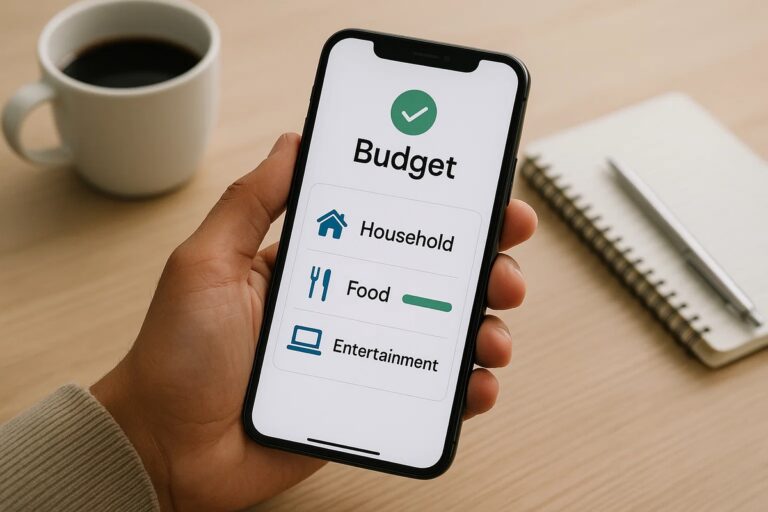
Budgeting apps that really work have become essential tools for adults and young professionals in the United States who want practical, reliable and automated financial organization. Many users start managing money with spreadsheets, but abandon the process because it requires manual updates, frequent recalculations and constant discipline. Budgeting apps solve this problem by offering automatic categorization, synced accounts, alerts and clear progress reports.
These tools also help users save money by highlighting behavior patterns, showing where spending gets out of control and offering a simplified view of monthly limits. With bank integration, spending trends and goal tracking in one place, budgeting apps create a more stable foundation for long term financial planning. This guide presents the best tools available today, compares their features and explains how to choose the right option for your needs.
Why you should use a budgeting app
Budgeting apps offer advantages that far exceed manual spreadsheet tracking. A spreadsheet requires continuous input, frequent review and an understanding of formulas. Any forgotten entry or incorrect value compromises the entire system. Budgeting apps eliminate most of the manual work by importing transactions automatically and organizing them instantly.
Automation is the first major benefit. Once your accounts and cards are connected, new expenses appear in the app without effort. Categorization is handled by the platform, and many tools learn your preferences over time. This makes daily maintenance extremely light compared to spreadsheet usage. The second major advantage is real time accuracy. While spreadsheets depend on user discipline, apps track spending as it happens. This prevents end of month surprises and offers a clearer awareness of money flow.
Another important benefit is guided decision making. Budgeting apps provide insights based on past patterns, notify users before overspending, help forecast upcoming expenses and highlight opportunities to save. This proactive approach is much harder to achieve manually. For users who want structure without complexity, this type of tool offers a practical way to stay aware of financial health every day.
What makes a budgeting app effective
To identify budgeting apps that really work, certain features must be present. Automatic expense tracking is the foundation. Without automation, the user reproduces the spreadsheet experience inside an app, which leads to abandonment. A strong budgeting app also provides bank and card synchronization, custom categories, smart alerts, savings goals and detailed spending reports.
The effectiveness of an app also depends on its ability to reduce friction. A clean interface, intuitive navigation and stable syncing make the daily routine smoother. Apps that frequently lose bank connections or miscategorize transactions tend to frustrate users. Reliability is part of what makes a tool “work” over the long term.
Security is another essential factor. Effective budgeting apps use encrypted connections, secure authentication and transparent privacy policies. With most users connecting multiple accounts, trust becomes part of the tool’s value. In addition, effective apps update consistently, fix bugs quickly and evolve features to meet modern financial behavior. When an app maintains stability and accuracy month after month, it becomes a real companion for financial planning.
Top budgeting apps that really work
Each budgeting app offers a different combination of automation, usability and financial philosophy. The options below represent the most reliable, stable and widely used tools among US consumers.
You Need a Budget (YNAB)
YNAB is structured around a proactive method that gives every dollar a role. It is ideal for users who want deep financial planning and are committed to building long term habits. YNAB offers full bank syncing, goal definition, spending analysis and educational guidance. The subscription cost is justified for users willing to follow a structured system that promotes real behavioral change.
Mint (Intuit Credit Karma)
Mint remains one of the most popular free options for Americans seeking an entry level budgeting tool. It syncs bank accounts, tracks expenses automatically and offers categorized reports with minimal effort. Mint is excellent for users who want a straightforward way to understand their financial routine without paying. It also includes credit score monitoring, which broadens the financial perspective.
Goodbudget
Goodbudget uses the envelope budgeting model. It does not fully automate bank syncing, which means some entries must be recorded manually. This limitation appeals to users who prefer greater intentionality and a slower pace. The app is practical for people who enjoy the envelope method and want a balance between structure and personal input.
Rocket Money (formerly Truebill)
Rocket Money excels in subscription management and expense reduction. It identifies recurring charges, alerts users about increases and even negotiates bills. Its strongest feature is preventing unnecessary spending through subscription oversight. For users who often lose track of recurring payments, Rocket Money is highly valuable.
PocketGuard
PocketGuard focuses on simplicity. It calculates the “In My Pocket” amount, which shows how much can be spent safely after bills and goals are considered. Automated syncing and categorization work smoothly. This app is ideal for users who want fast everyday guidance without advanced budgeting structures.
EveryDollar
EveryDollar follows the zero based budgeting method and offers a clean, distraction free interface. The paid version includes full bank syncing, while the free version requires manual input. It is a strong choice for users who enjoy structured budgeting and want a minimalist experience.
Comparison: which app fits your lifestyle
Below is a comparison table summarizing key features of the main budgeting apps that really work. This helps identify which one aligns best with your routine and your financial goals.
| App | Bank Sync | Cost | Platforms | Best for |
| YNAB | Yes | Paid | iOS, Android, Web | Deep planning and habit building |
| Mint (Intuit Credit Karma) | Yes | Free | iOS, Android, Web | Beginners and general tracking |
| Goodbudget | Partial | Free and paid | iOS, Android, Web | Envelope budgeting enthusiasts |
| Rocket Money | Yes | Free and paid | iOS, Android, Web | Subscription control and bill negotiation |
| PocketGuard | Yes | Free and paid | iOS, Android | Daily decision making and simplicity |
| EveryDollar | Yes (paid version) | Free and paid | iOS, Android, Web | Zero based budgeting structure |
The best app depends on your lifestyle. Users who want quick daily guidance typically prefer PocketGuard. Those who want strong automation at no cost often choose Mint. People focused on long term planning and deep awareness might prefer YNAB or EveryDollar. Rocket Money is ideal for anyone who wants to reduce recurring expenses. Goodbudget is better suited to users comfortable with manual discipline.
How to make the most of your budgeting tool
To maintain a long term budgeting habit, consistent routines matter more than complex strategies. The goal is to use the app in a way that supports your lifestyle instead of demanding extra effort. The list below brings together practical actions that help strengthen consistency and make financial management easier over time.
• Review your transactions weekly so information remains accurate and manageable
• Adjust category limits gradually based on real behavior instead of forcing unrealistic expectations
• Reconcile cash purchases or manual entries every week to avoid missing data
• Evaluate monthly spending trends to identify recurring patterns and opportunities for improvement
• Track upcoming bills using alerts to maintain full visibility of future obligations
• Create savings goals that match your income and spending rhythm so progress feels achievable
• Enable notifications to support your routine without relying solely on memory
• Use visual reports to compare planned budgets with actual spending at the end of each month
• Organize irregular expenses, such as annual fees or seasonal purchases, by saving small amounts each month
• Reassess financial priorities every quarter to keep your goals aligned with life changes
With these practices, budgeting becomes easier to maintain and more aligned with your day to day decisions. Over time, your app becomes not just a tracking tool but a guide for healthier money management and long term stability.
👇 Other content that may interest you:
Credit report vs credit score: what’s the difference and why It matters
Best online banks for beginners: easy and free options to start
Best checking account with early direct deposit: get paid sooner